.jpg)
.jpg)

Download KineMaster APK – Free Video Editor, Android Video Editing Tool, Mobile Video Creator
Overview
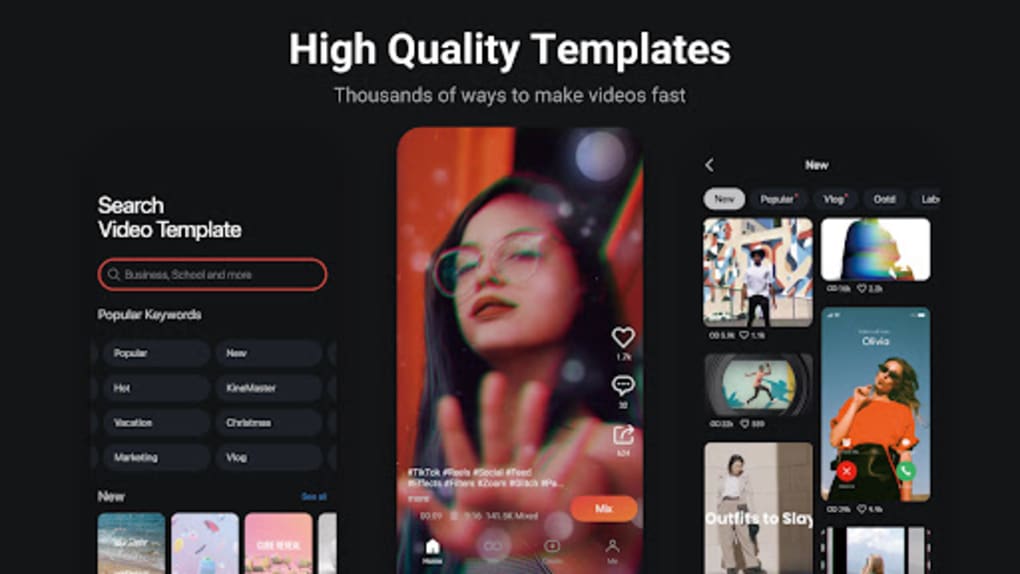
KineMaster is a comprehensive free video editing application designed for Android smartphones, offering a powerful suite of tools for both personal and professional video creation. The software enables users to edit videos, create slideshows, and produce high-quality content for presentations, social media, or personal archives. Its primary purpose is to bring desktop-level video editing capabilities to mobile devices, making it easier than ever to produce polished videos directly from a smartphone. The app supports a wide range of editing tasks, including trimming, layering, adding sound effects, applying transitions, and adjusting video speed, color, and volume.
Target users include content creators, social media managers, students, educators, and casual users who want to enhance family videos or create digital stories. While the app is accessible to beginners, it also provides advanced features that appeal to professionals seeking mobile editing flexibility. The developer did not provide additional details about the company background.
Real-world usage scenarios include editing vlogs, creating promotional clips, assembling event footage, or producing educational content. The app supports both video and image inputs, allowing users to merge multiple media files into a single project. Despite the free version including a watermark, it remains a viable option for testing features before upgrading.
Key Features & Capabilities
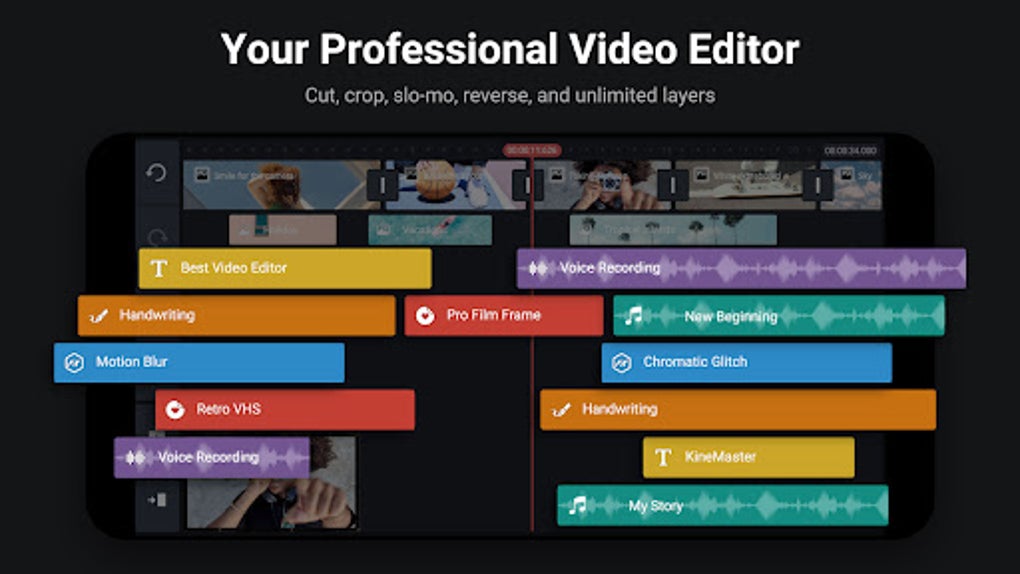
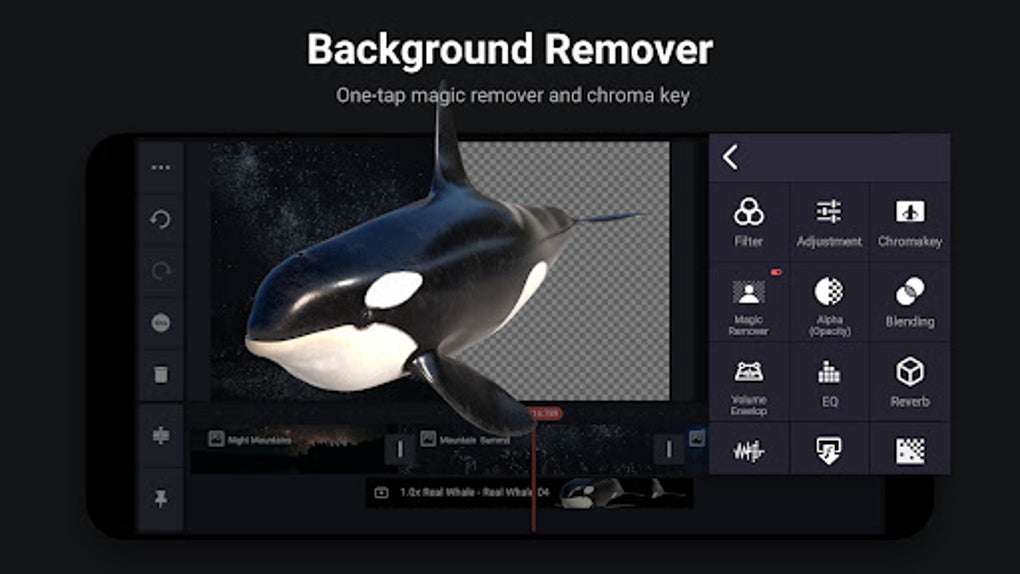
- Multi-layer editing: Allows users to stack multiple video, image, and audio layers for complex compositions.
- Frame-by-frame timeline: Offers precise control over edits with a visual timeline that displays clips and effects in real time.
- Video trimming and cutting: Enables users to cut or trim specific sections of a video with high accuracy.
- Audio enhancement: Supports adding background music, voiceovers, and sound effects with volume control and equalization.
- Transitions and effects: Includes a variety of transitions between clips and visual effects to enhance storytelling.
- Speed control: Allows users to slow down or speed up video playback for dramatic or dynamic effects.
- Text and theme customization: Offers tools to add animated text, captions, and apply pre-designed themes to videos.
- Export options: Supports export in low, HD, and full HD quality, with adjustable bitrate and framerate.
- File format support: Works with MOV and other common video formats, ensuring compatibility across platforms.
These features enable users to create polished videos without needing a desktop computer. For example, a student can compile a school presentation using photos and short clips, while a content creator can produce a social media reel with layered effects and transitions. The ability to preview edits in real time helps users visualize the final output before exporting. Changes are automatically saved, reducing the risk of data loss during editing sessions.
User Interface, Workflow & Performance
The user interface of KineMaster is structured around a clean, split-screen layout that divides the workspace into a timeline, preview window, and control panel. This layout supports intuitive navigation, allowing users to manage clips, apply effects, and adjust settings without confusion. The timeline displays video frames sequentially, enabling precise edits by tapping on individual frames. Each selection triggers a contextual menu with relevant editing options, streamlining the workflow.
Navigation is straightforward, with icons and menus organized by function. The app’s workflow is designed to minimize user effort—users can record a video, import media, edit layers, apply effects, and export the final product in a logical sequence. The developer did not specify resource usage details, so exact performance behavior is unclear.
However, general software behavior suggests that performance may vary depending on device capabilities. High-end devices are expected to handle advanced features like multi-layer editing and real-time effects more smoothly. On lower-end devices, users may experience lag or delays when using intensive tools.
Stability appears to be maintained through automatic saving, but no official data on crash rates or session reliability was provided.
Compatibility & System Requirements
KineMaster is designed exclusively for Android smartphones and tablets. The application is available as an APK file, indicating it can be installed outside the official Google Play Store. The exact operating system version requirements were not listed.
Installation size information was not provided, so users should expect variable disk space usage depending on the device and installed features. The developer did not specify hardware requirements such as RAM, CPU, or GPU capabilities. Compatibility information is limited to Android support, with no mention of iOS or other platforms.
Users are advised to ensure their device meets minimum Android standards to avoid installation issues.
Pros and Cons
Pros
- Powerful video editing tools on a mobile device
- Supports multi-layer editing and advanced effects
- User-friendly interface with intuitive layout
- Automatic saving of edits prevents data loss
- High-quality export options including HD and full HD
- Extensive tutorial support for beginners
- Works with both video and image files
Cons
- Free version includes a visible watermark on exported videos
- Advanced features may cause lag on low-end devices
- No official support for iOS or desktop platforms
- System requirements and performance data not clearly documented
- In-app purchases required to unlock full functionality
FAQ Section
Is KineMaster available for iOS devices?
KineMaster is currently designed only for Android smartphones and tablets. There is no official iOS version available.
Can I use KineMaster without an internet connection?
Yes, the app supports offline usage. Once installed, you can edit videos and export files without needing an active internet connection.
Does the free version have limitations?
Yes, the free version includes a watermark on exported videos and restricts access to some advanced features. Full functionality requires a premium subscription.
How often does KineMaster receive updates?
Regular updates are released to improve performance, fix bugs, and add new features. The exact update frequency was not specified.
Is KineMaster safe to download and install?
As a widely used video editing app, KineMaster is generally considered secure. However, users should download the APK from trusted sources to avoid potential risks.
Final Thoughts + CTA
KineMaster stands out as a robust mobile video editing solution that brings professional-grade tools to Android users. Its combination of advanced features, intuitive interface, and high-quality export options makes it ideal for both beginners and experienced creators. While the free version includes a watermark, it serves as a strong entry point for testing the app’s capabilities. For users seeking a seamless, powerful editing experience on their smartphones, KineMaster delivers a compelling value proposition. Whether you're editing personal memories, crafting social media content, or preparing professional presentations, this tool offers the flexibility and control needed for creative expression.
Download KineMaster now





.png)

